Free Windows app with a built-in browser. You browse to any page, it spots the videos on its own and downloads them with one click. No copying URLs, no command line, nothing to configure. It also transcribes to text and translates into 15 languages — all on your own computer, with nothing sent to any server.
01 — What it does
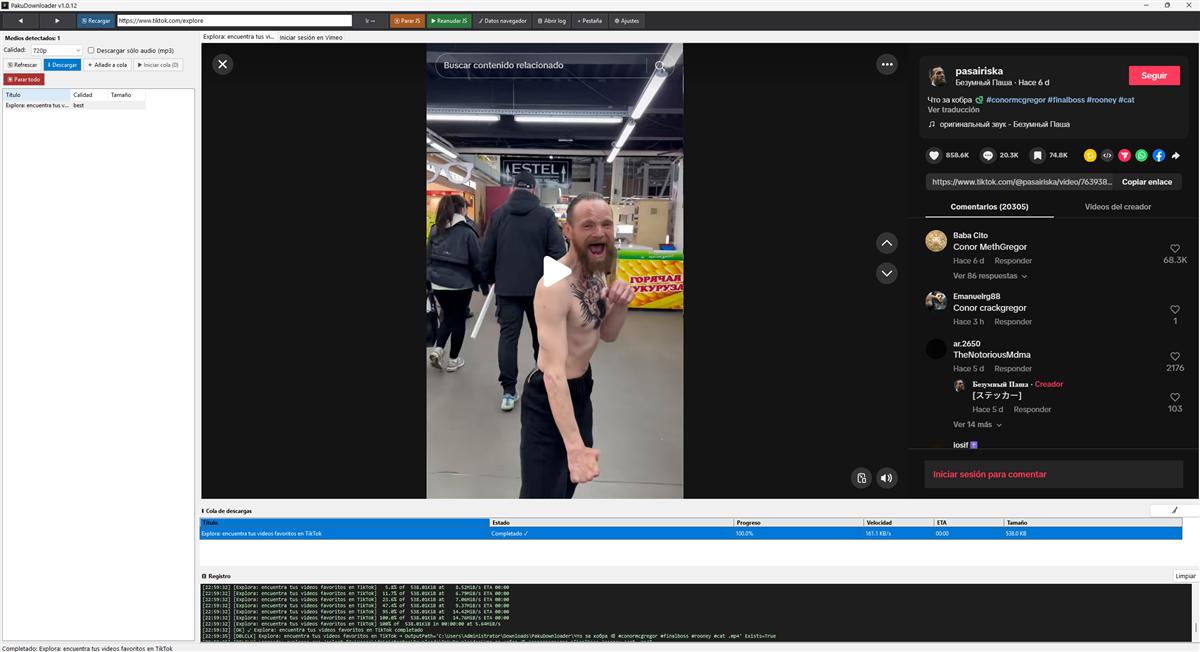
PakuDownloader ships with a real web browser — the same engine Edge uses. You browse as you normally would and the program quietly looks for video. When it finds something downloadable, it appears in the list below. Hit download and that's it.
You don't need to know the video's URL, you don't need a terminal, you don't need Python or anything else installed. The installer asks for no administrator rights and lands in your user folder.
02 — Where it downloads from
Everyday video — YouTube (single videos and playlists), TikTok, Instagram, Twitter/X, Twitch (live, VODs and clips), Vimeo, Dailymotion, Facebook, Reddit, Rumble, Bilibili, Odysee and more.
Spanish television — RTVE a la carta, Atresplayer (Antena 3, La Sexta), Mitele (Telecinco, Cuatro). The download comes without ads.
Music and podcasts — SoundCloud, Bandcamp, Mixcloud. Single tracks and whole playlists as MP3.
Online courses — Udemy, Coursera, LinkedIn Learning, Khan Academy, TED. For Udemy, Coursera and LinkedIn you have to be logged in first inside the built-in browser.
Technical streams — HLS (broadcasters and live events), RTSP, RTMP, Wowza and WebRTC. If the browser can play it, PakuDownloader can record it.
Sites about human anatomy, the ones you're already thinking about XDDDD.
03 — Transcription and translation
Besides downloading, the program can turn any video or audio into text and translate it. Everything runs on your machine: no data leaves your computer, no account anywhere, no API keys to pay for.
Transcription with Whisper Turbo. The first time, the program downloads the tool and the AI model on its own (between 550 MB and 1.6 GB depending on the quality you pick; once only). From then on it transcribes offline. It works on any computer — with or without a GPU. If you have an NVIDIA card it offers you the CUDA build, which is considerably faster; you don't need the CUDA Toolkit or anything of the sort, the download already brings everything. With no GPU it runs on the CPU just fine. You get a .srt with timings and a .txt with clean text, saved next to the video. You can have it transcribe automatically after each download, or transcribe any audio or video file already on your computer.
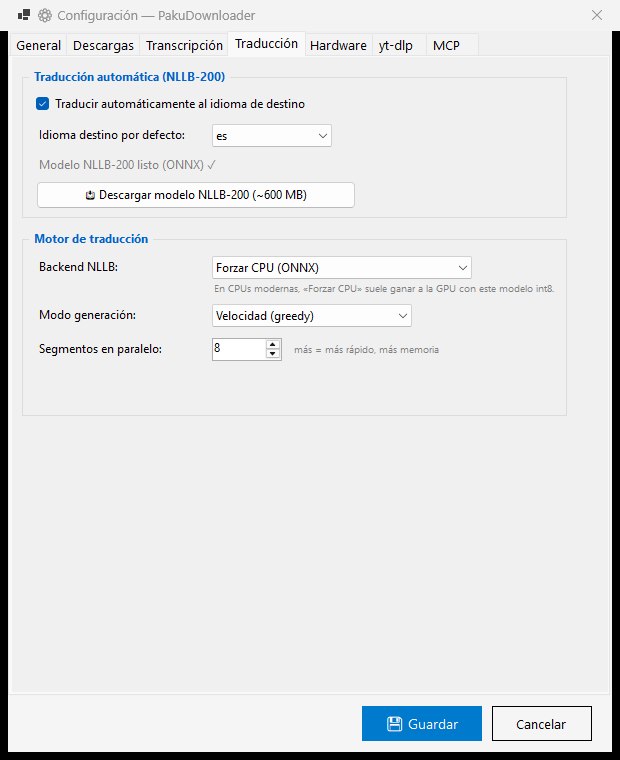
Translation with NLLB-200. After transcribing — or starting from an .srt you already have — the program can translate into another language: Spanish, English, French, German, Italian, Portuguese, Catalan, Galician, Basque, Dutch, Japanese, Chinese, Korean, Russian and Arabic. The model (~600 MB) is also a one-off download. Subtitle timings are preserved exactly, and the translated file is saved with the target language in its name: video.es.srt, video.en.srt, and so on. It runs natively on ONNX Runtime: on the CPU always, and on the GPU through DirectML (any DirectX 12 card will do, be it NVIDIA, AMD or Intel). Funnily enough, on modern processors the CPU tends to beat the GPU with this quantised model — try both and keep whichever works better for you.
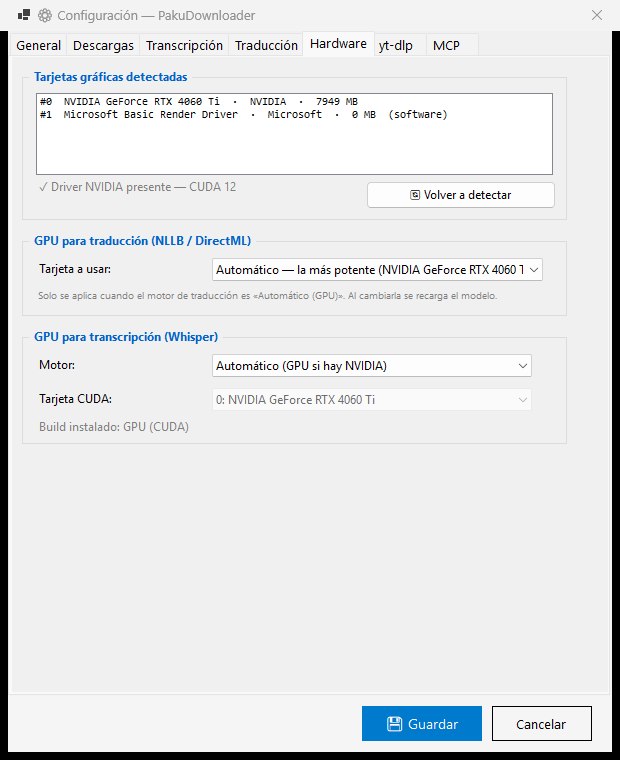
You pick the graphics card. If the machine has two GPUs — the classic laptop with an integrated Intel and a discrete NVIDIA — the Hardware tab lists them and lets you decide which one each engine uses. By default it picks the most powerful one rather than the first one Windows enumerates, which was exactly why so many laptops never used the good card.
Transcriptions and translations both show up in the main list with a progress bar, an estimate and a cancel button.
04 — Media detection: JS scanner + network sniffer
What sets this apart from running yt-dlp in a terminal is the detection system. Two mechanisms work in parallel from the moment you open a tab:
Active JavaScript scanner. Once each page finishes loading, the program injects a script that hunts for media in the DOM: <video>, <audio> and <source> elements, JSON-LD metadata (objects, arrays, @graph), og:video and twitter:player attributes, direct links to video files, iframe embeds, and the APIs of popular players (Video.js, JW Player, HLS.js, Plyr, Brightcove). The scan runs three times: on load (t=0), at 3 seconds and at 10 seconds, to catch video the page injects through SPA navigation or XHR after the initial load.
Passive network sniffer. In parallel, the program intercepts browser requests through WebResourceRequested and picks up streaming URLs (.m3u8, .mpd, .mp4) as the browser asks for them, without waiting for the JS scan. This channel catches video the JS cannot see because it comes from cross-origin iframes or from XHR requests made by native players.
When the same URL arrives from two sources with different classifications, the conflict is settled by FormatRank: youtube > m3u8 > mp4 > unknown. The existing entry is upgraded to the higher-ranked classification, which avoids an old bug where YouTube downloads ended up as a plain GET of the HTML.
05 — Streams: HLS, RTSP, RTMP and Wowza
For non-YouTube streams, routing goes straight to ffmpeg. The program tells VOD from live by downloading the HLS manifest and looking for the #EXT-X-ENDLIST directive: present ⇒ VOD, absent ⇒ live. The difference matters for the output format:
- VOD → MP4 with
-movflags +faststart, so the file plays before the download finishes. - Live → MPEG-TS (
-f mpegts), which stays playable even if the process dies mid-recording. MP4 needs a moov atom at the end; TS does not.
The reconnect flags (-reconnect 1 -reconnect_streamed 1 -reconnect_at_eof 1 -reconnect_delay_max 30) let ffmpeg survive short network drops and CDN token refreshes. RTSP uses -rtsp_transport tcp because UDP drops packets now and then on local networks with aggressive QoS.
Wowza Streaming Engine deserves a special mention. Plenty of corporate and broadcast streaming servers run Wowza, which adds authentication tokens to the query string (wowzatokenhash=, hdnea=) plus proprietary signatures. PakuDownloader detects Wowza both by URL fingerprints (/_definst_/, /smil: and /mp4: prefixes, chunks named like chunklist_w\d+) and by the Server: WowzaStreamingEngine/* response header. Child fragments are filtered out of the list so only the master playlist shows up.
06 — WebRTC: recording Flashphoner WCS
This is the hardest case PakuDownloader solves. Flashphoner Web Call Server is a commercial streaming platform that serves video over WebRTC — DTLS/SRTP on UDP, signalled over WebSocket. Neither yt-dlp nor ffmpeg can record it directly because they don't speak the protocol. The solution has three pieces:
1. Capturing the handshake. WcsSniffer attaches to WebView2's CDP protocol and listens to the WebSocket frames of every tab. When it spots the connect + playStream sequence on the same WebSocket, it emits a DetectedMedia with Format="wcs-webrtc" carrying the raw JSON of both messages. The user sees the stream in the media list like any other video.
2. Python sidecar. wcs_recorder.py (compiled to wcs_recorder.exe with PyInstaller, ~40 MB) receives the captured handshake JSON. It replays the connect message verbatim — it carries the appKey, operator tokens and client version — so it authenticates exactly like the real browser. Then it builds its own RTCPeerConnection with aiortc, creates an SDP offer, injects that SDP into the captured playStream message (replacing only the data[0].sdp field and the mediaSessionId), and completes the ICE/DTLS/SRTP negotiation. Incoming audio and video are written to MP4 with PyAV.
3. UI integration. On download, DownloadService launches the sidecar and listens for [PROG] duration:N bytes:N lines on its stdout to update the grid's Size column in real time. On Stop, it writes q\n to the sidecar's stdin — the same mechanism ffmpeg uses — so PyAV finalises the moov atom properly before exiting.
Replaying rather than reimplementing the Flashphoner client from scratch is a practical choice: every WCS deployment has custom fields (tokens, JWTs, operator-specific fingerprints) that differ per site. Capturing and replaying connect verbatim handles all of them automatically.
07 — Freezing JavaScript for live streams
Many live streaming sites (broadcasters, cameras, event platforms) run JavaScript watchdogs that detect inactivity or a missing heartbeat and drop the session. If the JS decides you have gone too long without interacting, it closes the signalling WebSocket, expires the token or reloads the player — cutting off the recording you had running.
The Freeze JS toolbar button freezes the active tab by injecting a script that:
- Saves the originals of
setTimeout,setInterval,requestAnimationFrameandqueueMicrotaskintowindow.__pdh_jsFreeze. - Replaces them with no-ops and cancels every active ID.
- Blocks new calls to
fetch(returns a Promise that never resolves),EventSourceandWebSocket(they throw on construction).
HLS fragments already in flight are unaffected — ffmpeg keeps receiving them. The watchdogs that were about to disconnect you do not. The Resume JS button restores the originals from the snapshot. If the page reloads, the new window is clean and there is nothing to do.
08 — MCP server: downloading from Claude Code
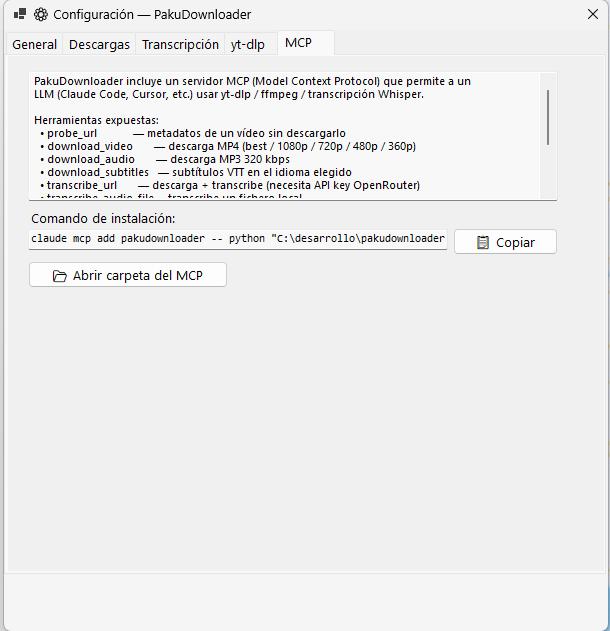
PakuDownloader includes a Python MCP server (mcp_server/server.py) that exposes its capabilities to any LLM. With it you can ask Claude Code to download video, extract audio, transcribe or translate content without opening the desktop app.
The available tools:
probe_url(url)                          → metadata without downloading
download_video(url, quality)            → MP4 (best/1080p/720p/480p/360p)
download_audio(url)                     → MP3 320 kbps
download_subtitles(url, language)       → VTT
transcribe_audio_file(file_path, target_lang?)  → text via local Whisper; target_lang translates with NLLB-200
transcribe_url(url, language, target_lang?)     → download + transcription + translation in one step
translate_text(text, source_lang, target_lang)  → translation with local NLLB-200
list_recent_downloads(limit)            → download history
get_settings()                          → current configuration
diagnostics()                           → yt-dlp/ffmpeg versions and paths
The MCP shares its configuration with the desktop app — same output folder, same browser cookies. To install it in Claude Code:
pip install -r C:\path\pakudownloader\mcp_server\requirements.txt
claude mcp add pakudownloader -- python C:\path\pakudownloader\mcp_server\server.py
Once registered, the tools show up as mcp__pakudownloader__*. Call diagnostics first to confirm that yt-dlp and ffmpeg are visible from the server.
09 — Settings
The Settings dialog is split into seven tabs:
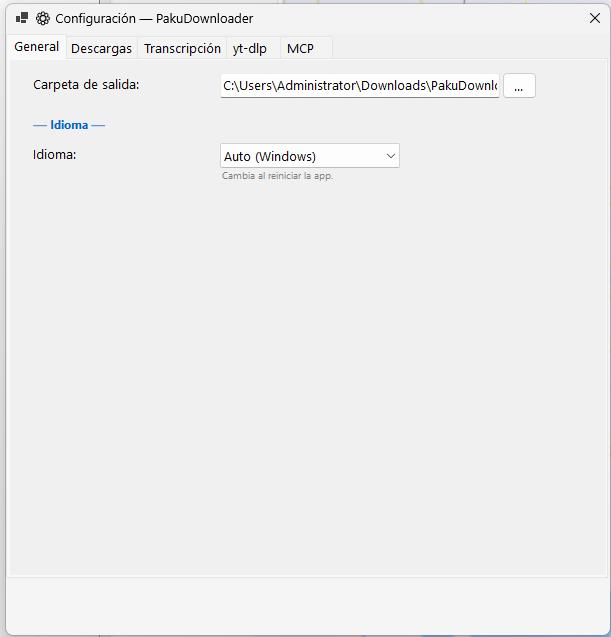
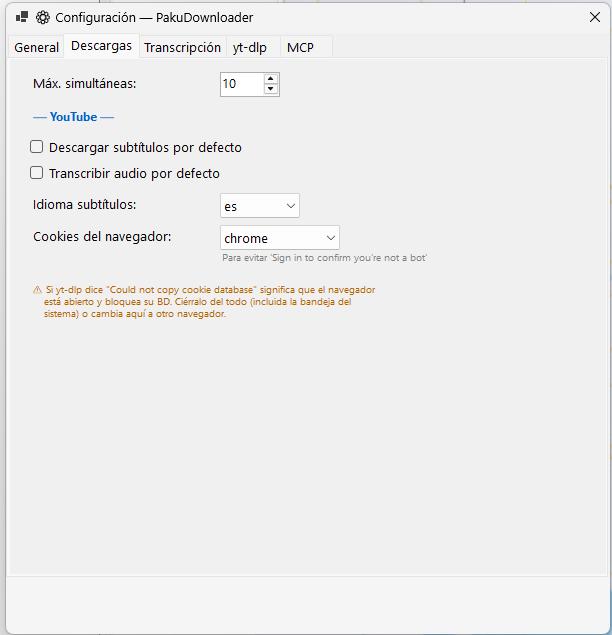
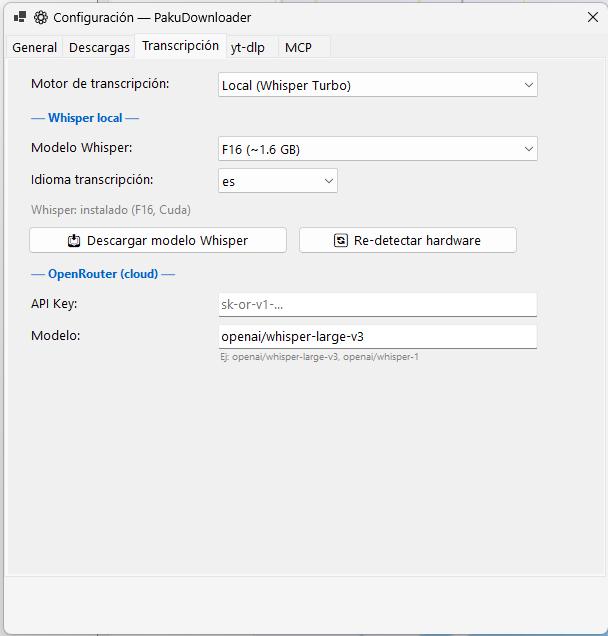
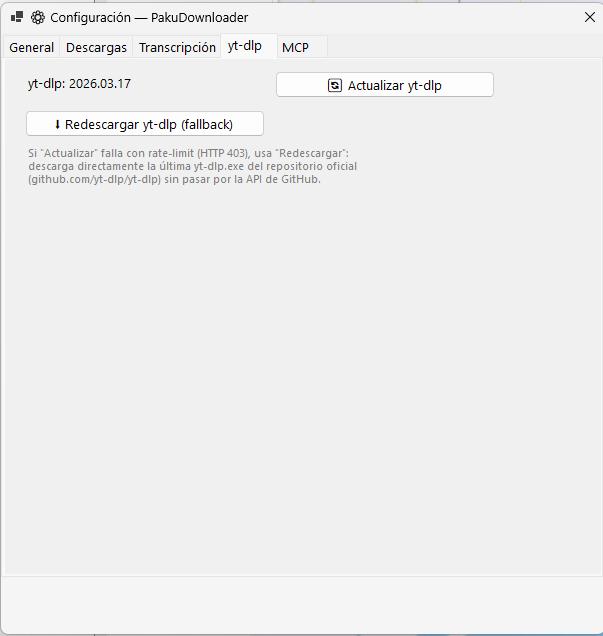
A note on yt-dlp: since 2026 yt-dlp needs a JavaScript runtime to decipher certain YouTube formats. Without one it warns No supported JavaScript runtime could be found, falls back to a lesser extractor and loses formats — which is why an older version could puzzlingly work better than a freshly updated one. The installer already bundles Deno inside the program folder (it doesn't touch the system PATH or install anything separately), so there is nothing to do. The yt-dlp tab shows its status and, should that folder ever be deleted, lets you reinstall it with one button.