Almost no DOS game has its source code available: it was lost, or it never left the company that made it. All that is left is the executable. PakuPort takes that executable and turns it into a .NET program that plays the game as it is, without changing a single byte. Then it helps you rebuild it in C#, piece by piece, with a judge that compares every piece of yours with the original byte by byte and says yes or no. It is a way to port DOS games to .NET with or without AI, and it is free and open source (GPL-3.0). The project lives at github.com/unmateria/PakuPort.
Source code, documentation and every version on GitHub · downloads (releases) · tutorial.
01 — What PakuPort does: port DOS games to .NET
PakuPort does two things, and it is worth keeping them apart because they are good for different things.
The first is the port. You give it a game's .EXE or .COM and it gives you back a .NET project that plays it. Inside, that project carries an x86 processor written in C# that runs the game's original bytes, and around it a whole PC of the era: DOS, the BIOS, the graphics card (VGA, EGA, CGA, text mode, VESA), keyboard, mouse, joystick, timer, PC speaker, Sound Blaster and the FM music chip. The result can be packaged as a double-click Windows .exe with nothing to install.
The second is the remake. Once the game runs inside PakuPort, PakuPort can watch it: which functions are called, what goes in and what comes out, which code actually runs, who draws each pixel and who plays each sound. From all that it prepares one folder for every function of the game, with what was measured and a C# skeleton to fill in. You write the function in C# (or hand it to an AI), and a judge tests it against real calls recorded from the original game. If it comes out green, it plugs into the game and from then on that part is done by your code; whatever you have not translated yet keeps being done by the original.
The best picture I have for it is swapping the parts of an engine while it is running, with a test bench for every part, recorded from the real engine. You do not need the whole remake before you can play it: it plays from day one, and every new piece that goes in has been checked.
02 — Why translating the assembly is not enough
PakuPort did not start like this. It went down two roads that look obvious and do not work, and understanding why explains nearly every decision in it.
The first road was translating the executable into another language in one go: read the binary, separate code from data and convert each instruction. With DOS games that hits a wall that is not about effort but about theory: telling which bytes are code is undecidable. There are jump tables that are only resolved at run time, self-modifying code, overlays loaded from disk in the middle of a game, packed executables and copy protections that decrypt themselves at start-up. No static analysis solves that in general. That is why PakuPort's engine is an interpreter: it runs what the CPU would run, and all of that simply works.
The second road was asking an AI to rewrite the game in C# from the disassembly. It always fails the same way: it invents behaviour and silently skips parts. The code it returns looks good, compiles, and does not do the same as the original. The worst part is not that it fails: it is that there is no way to know where.
That is where the project's central rule comes from: whoever translates gets measured facts, not guesses, and every answer is checked by a judge. Plus a few more rules learned the hard way: no judge counts until it has been seen saying no; a comparison with nothing to compare is a failure, not a pass; and failures are fixed in the platform, following the hardware specification, never with a patch for one particular game.
03 — What it does well
- It runs what the CPU would run, not what a disassembler guesses. Self-modifying code, overlays, packed executables and self-decrypting protections just run, without anybody having to understand them first.
- 16-bit and 32-bit games. Real mode, 16-bit protected mode, 32-bit flat mode with DOS/4GW and other extenders (including the ones embedded in the game itself), 386 paging, VESA, and games that jump back and forth between 16- and 32-bit code. I have tested it with about two dozen commercial games, from early-80s
.COMprograms to mid-90s 32-bit games, and most of them play from start to finish. - It writes down what it saw, not what it supposes. Every call to every function with what went in and what came out, the code that actually ran, who drew each pixel and who played each sound. A disassembler can only offer guesses; this is a log of what happened.
- A judge, not an opinion. Your version of a function is replayed against real recorded calls and compared with the original byte by byte: registers, flags, memory and even the number of instructions it spends. And if not even the original binary can reproduce a recorded case, the judge calls it unjudgeable instead of blaming you.
- Piece by piece, with the game running. Every translated function plugs into the game, and an A/B test proves that memory and screen stay byte-identical with your code inside.
- Repeatable to the byte. The game's clock is the instruction counter, so with the same recorded input and the same cut, two runs leave zero bytes of difference. If something changes, you changed it.
- Made for AI, without trusting the AI. Each function is a self-contained folder with measured facts and a single file to write. The model gets facts instead of guesses, and the judge decides whether its answer is right. The same folders work for a person with no AI at all.
- HD graphics by identity. Each sprite is recognised at the moment the game draws it, not by searching for pixels on the screen afterwards. How to make an HD port, in section 07.
- A platform checked against a reference. Small DOS programs written on purpose compare PakuPort with DOSBox-X one subsystem at a time: timer, video, sound, DOS.
And the proof that it all fits together: with one of my test games, a commercial arcade game from the early 80s, the whole game has been rebuilt in C# with this method, in 61 pieces. A recorded session of 398 million instructions —title, menu, every phase, game over and the high score table— runs without the interpreter executing a single instruction of the original, and memory and screen come out byte-identical to the original game's.
04 — How it works inside
The full journey, from a DOS executable to a game rebuilt in C#, is six steps. The four in the middle repeat, function after function, as many times as you like:
Record. You play a session (or let the game play itself, since many have a demo mode) with three recorders switched on at the same time: one writes down the real calls to every function, another what each function does with the hardware (whether it draws, plays sound, reads the keyboard or is pure logic), and the third which bytes of code actually ran. That last one is the frontier of the unknown: code that never ran cannot be tested, and the board says so instead of hiding it.
The board. One folder per function. Inside it is the original disassembled code, a C# skeleton and, in its header, everything that was measured. This is the header of a small function of the sample game (trimmed):
// FUN_1000_189  —  enters at 0814:0189
// HOW IT WOULD BE CALLED:  NO NAME: there is no evidence of what it does. The honest answer.
// WHAT IT DOES:  Layer: LOGIC.  Code really executed: 17 of 17 bytes (100.0 %)
// CALLING CONVENTION (observed in 8 invocations)
//   Preserves: BX CX DX SI DI BP DS ES     Changes: AX     Returns with ret
// GLOBALS IT TOUCHES
//   ds:[044Ch] 2 bytes WRITTEN  seen: 2F1D->F4BA, F4BA->ABDB, ABDB->1BD0, ...
// THE STACK, WHERE MOST MISTAKES HAPPEN ...
// THE RHYTHM: HOW MANY INSTRUCTIONS THE ORIGINAL WOULD HAVE SPENT ...
// IF IN DOUBT, ASK THE ORIGINAL:  pakuport oracle-run --game ... --func FUN_1000_189 ...
Note the name: none. A function that calls no system service and touches no port leaves no clue about its purpose, and PakuPort does not make one up. A made-up name is read as a fact by whoever comes next, person or AI. Names are only proposed with the evidence quoted next to them: the DOS service it calls, the port it touches, the text it uses.
Translate and judge. That function turns out to be the game's random number generator. Its C# translation is this:
// random: seed = seed * 25173 + 13849, returned in AX.
public static void Ejecuta(Cpu c, Memory m, Original o)
{
    c.SP -= 2; m.WrU16(c.SS, c.SP, c.DX);      // push dx
    c.AX = m.RdU16(c.DS, Seed);
    c.DX = 25173;
    c.Mul16(c.DX);                              // DX:AX = AX * DX, with its flags
    c.AX = c.Add16(c.AX, 13849);
    m.WrU16(c.DS, Seed, c.AX);
    c.DX = m.RdU16(c.SS, c.SP); c.SP += 2;      // pop dx
    c.SP += 2;                                  // ret
    o.Instrucciones(8);
}
And the judge tests it against the eight real calls recorded from the game (the command-line output is in Spanish: verde is green, ritmo exacto means it spent exactly the same number of instructions):
FUN_1000_189: VERDE 8/8 | ritmo EXACTO
To check that the judge can say no, change the constant by one (13849 to 13848) and judge again:
FUN_1000_189: rojo 0/8 (caso 0: memoria: 1 tramo(s), el primero @0x044C len 1: B9 -> BA)
Red in all eight cases, and pointing at the exact byte: the generator's seed, at address 044C, is BA where it should be B9. That message is what goes back to whoever translates, word for word, so they can fix it.
Plug in. Green functions go into the game. Being right on the recorded calls does not prove the game is unchanged with the function inside, so the A/B control plays the same session twice, with and without your translations, cuts both at the same instruction and compares the whole memory and the screen:
VERDE  el arnes es determinista: 2 corridas identicas, 0 bytes de diferencia
VERDE  FUN_1000_189       se ejecuto 14 veces dentro del juego
VERDE  la memoria del invitado sale igual: 0 bytes cambiados
VERDE  la pantalla sale igual: 0 bytes cambiados
== CONTROL DE LAS PORTADAS: VERDE ==
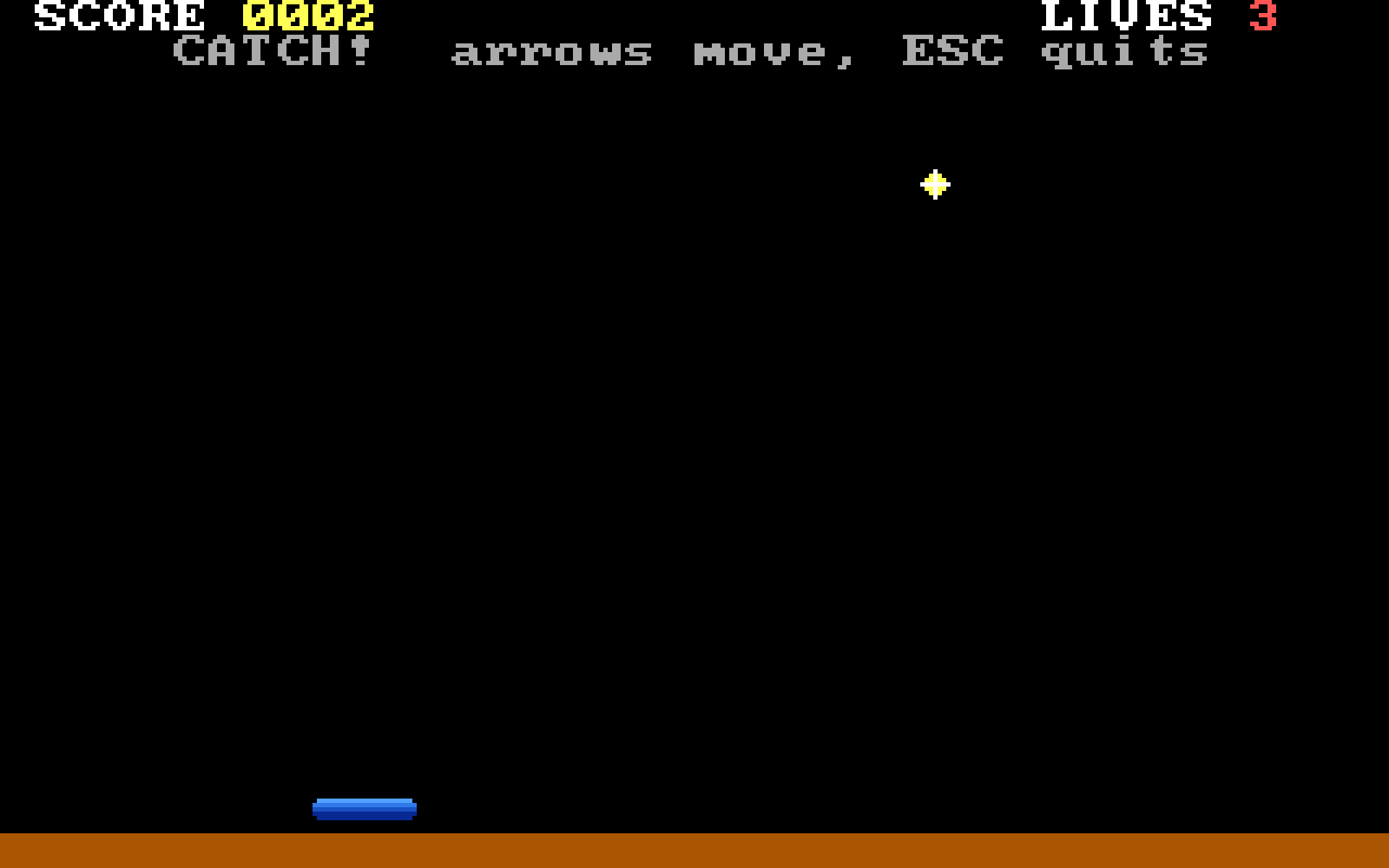
(The harness is deterministic, the translation ran 14 times inside the game, memory and screen: 0 bytes changed.) With the constant changed on purpose, the same control comes out red: 15 bytes of memory and 294 of screen differ, because the stars fall in different columns. That is the whole method at the scale of one function: measured facts in, a judge that can say no, and proof that the game has not changed.
05 — How to use it, step by step
You need Windows, the .NET 10 SDK (ports are compiled) and Python 3.10 or later (the remake tools). There are two ways to get it:
- The download:
PakuPort-win-x64.zip, from the releases page. It is the repository with the command line already built inbin\: unzip it and you are done. - The code:
git clone https://github.com/unmateria/PakuPortanddotnet build PakuPort.slnx -c Release.
Either way, the first thing is to open a terminal in the folder and run the self-test, which goes through the whole chain on the sample game and must end green:
python tools\selftest.py
Every command is run from that folder as .\pakuport (in cmd, just pakuport): it uses the prebuilt command line if it is there, and otherwise builds it on the fly.
Step 1 — port DOS games to .NET with a single command
Put the game in a folder that contains only the game (PakuPort copies the whole folder as game data) and run:
.\pakuport port C:\games\MYGAME\GAME.EXE
The command analyses the executable, generates the .NET project in export\<id>\, copies the data, builds it, runs it for a few seconds with no window to check it draws something, and packages it as a double-click Jugar<Game>.exe. While playing, Ctrl+F1 and Ctrl+F2 lower and raise the speed of the emulated CPU, F11 toggles full screen and F12 quits (Esc is just another key of the game).
Step 2 — fix the speed
Once you have found the right speed with those keys, write it in games\<id>\game.json (for example "cyclesPerMs": 3000) and export again. Recording, comparing and replaying sessions need a fixed speed, because in PakuPort the game's clock is the instruction counter.
Step 3 — record what it does
One session with no window and the three recorders on, and then pakuport corpus-diag to check that every recorded case reproduces. On the sample game that gives 146 cases from 20 functions, all 146 green.
Step 4 — generate the board
.\pakuport expediente tablero --game games\catch\game.json --corpus games\catch\corpus
Step 5 — translate and judge
Write respuesta.cs in the function's folder and judge the whole board at once. The progress of the remake is a single number:
.\pakuport banco juzga --banco games\catch\expediente --exige-ritmo
Step 6 — plug it into the game and prove nothing changed
.\pakuport export --game games\catch\game.json --portadas games\catch\expediente
python tools\control_portadas.py --export export\catch --cinta <tape> --insn <N>
The repository has a full tutorial that does all of this on the sample game, with the exact output each step must give, and a guide to doing the same work by hand, without any AI.
06 — Using it with Claude Code
PakuPort is built to work with a coding agent beside you, and a good part of it was developed that way. With Claude Code, getting started means opening it in the project folder:
cd pakuport
claude
The repository ships a CLAUDE.md that Claude Code reads on its own at start-up, and that loads the house rules for any agent (AGENTS.md): measuring runs go without a window and without sound, a ported game is never patched (PakuPort is fixed instead), no judge is weakened to make something green, and no games go into the repository.
To port a game, just ask in plain words:
Port the game I have in C:\games\MYGAME\GAME.EXE. If it does not start,
read the logs and tell me at which instruction it stops and why.
When a game does not work is where an agent helps most: PakuPort has dozens of PAKU_* switches that log every DOS call, every interrupt, every port access and the last instructions before a failure, and reading those logs is long, mechanical work that an agent is very good at.
For the remake, the rule is one board folder per task. Something like this works:
Translate the function games\catch\expediente\FUN_1000_19a to C#.
Read ..\COMO-ESCRIBIR.md first, then PLANTILLA.cs and desensamblado.asm.
Write only respuesta.cs in that folder. Do not touch the corpus, banco.json,
game.json or src\. When you are done, judge with
  pakuport banco juzga --banco games\catch\expediente --exige-ritmo
and if it is red, fix it using the judge's message. Three attempts at most.
Since every folder is independent, you can run several subagents at once, each with its own function, and judge the whole board at the end. Three tips from having done it many times:
- Start with the leaves: logic functions that call nothing and whose code ran 100 %. Drawing and sound functions last.
- Forbid it explicitly from touching the tests. A model under pressure to get a green will happily fix the exam instead of the code.
- Give it the judge's message verbatim, not a summary. It names the case, the address and the byte; it is exactly what it needs to fix the translation.
The full guide, with the measured failures worth warning the model about and a blind benchmark to measure how much the material helps, is in docs/REMAKE-WITH-AI.md. It works with any agent that can read files and run commands, not only Claude Code.
07 — An HD port with Claude Code
An HD port has two levels, and it always pays to start with the first, because it is free.
Level 1: sharper without drawing anything
Any ported game can be enlarged respecting the edges of the pixel art instead of stretching it into a blur. It takes one of two switches: PAKU_SCALE3X=1 (Scale3x: crisp edges; it works on palette indices so it never invents edges between two similar colours) and PAKU_XBRZ=2 to 6 (xBRZ: rounded diagonals and smooth lettering). You ask for it like this:
Launch the MYGAME port with xBRZ at x4, and then with Scale3x,
so I can compare which one suits it better.
Level 2: new art, one graphic at a time
This is where the remake kit comes in. Its golden rule is that the art never decides anything: what is drawn, where, at which size, in which order and how long it stays is measured by PakuPort and written down. Whoever draws, a person or an image model, only delivers PNG files to the paths the kit names. And the game is never touched: with dozens of graphics replaced, the game's video memory stays byte-identical.
The important difference from other attempts at remastering graphics is how each graphic is recognised. The usual way is to search the screen for pixels that match a known sprite, and that breaks as soon as two sprites overlap, one is clipped at the edge or a frame of an animation was never captured: the result is a mix of new and old graphics that looks like sprites are missing. PakuPort identifies each drawing at the moment the game draws it, by which code draws it and from where, and rebuilds the whole figure even when the game draws it one row at a time.
With Claude Code, the whole journey is four requests. The first one prepares the work:
Let's make the HD port of MYGAME. Set its speed in game.json if it has
none, record a session with "pakuport remake capture" and then run
"pakuport remake study". Make me the sheet with "pakuport remake hoja"
and sum up which graphics there are and which ones show up most.
To record, either you play for a while in the window that opens, or you tell it which keys to press and the session records itself with no window. The study leaves the brief in games\<id>\remake\ (pendiente.json): one entry per graphic with its reference image cut with the real palette, its size, whether it needs transparency, whether it is an animation and with how many frames, and the exact path where the new version must be saved. The sheet is that same brief as a single HTML page, to see it at a glance.
The second one asks for the art. Claude Code does not draw, but it knows how to take the brief to whoever draws: you, a local image model or a paid one through an API. If you use a model, have Claude write the script that sends it each entry with its reference:
Read games\mygame\remake\pendiente.json. For the 3 graphics that repeat
most, write a script that asks [your image model] for the x4 version
from its reference image: it must REDRAW it respecting the grid, the
silhouette and the palette, not "remaster" it. If it is an animation,
all the frames on one sheet. Save each image to its "destino". Then run
"pakuport remake check mygame" and, for each one that passes, show me
the before and after with "pakuport remake try".
check is the customs office: it checks every delivered image without running the game (exact size or multiple, transparency where needed, chroma background leftovers, incomplete animations) and rejects, with the reason, whatever would break the game. try puts a single image into the game and gives you before and after side by side, freezing the game at the same instruction in both halves so they show the same instant.
The third one checks it:
Run "pakuport remake judge mygame". If the check that the remake does
not disturb the game is not green, stop and tell me what changed.
The judge plays the same session twice, with and without the new art, and demands that the game draws exactly the same in both: the remake can never change the game. It also tells you how much of what is drawn already has new art and which gaps are most visible, which is the list of what to order next.
And the fourth is playing: .\pakuport remake play mygame.
Four warnings for the agent, from having done it:
- Validate the concept with two or three graphics before ordering hundreds. Looking at them in the game with
trytakes seconds; redoing a hundred graphics in the wrong style does not. - If customs rejects an image, fix the image, never the customs.
- Animations go in whole or not at all. An animation delivered halfway mixes new and old frames, which is exactly the "missing sprites" effect.
- Sprites that move by erasing and redrawing themselves every frame come out pierced today, with original pixels showing through. Static screens, backgrounds, menus and the interface are where the kit really shines.
The full guide to the kit is in docs/HD-ART.md.
08 — What it does not do (yet)
I would rather tell you than have you find out:
- Windows only, as far as I know. The core is plain .NET and might work elsewhere, but nobody has tried, and the tools use Windows paths in places.
- Spanish in places. Some code comments, the command-line messages and the files generated for the board are in Spanish. The documentation is in English.
- Not every game starts. Some stop at copy protections that ask for the original floppy, others at extenders that are not implemented (Phar Lap, for example), and others at hardware corners nobody has needed yet.
- The board and the judge are, today, for 16-bit games. 32-bit games are ported and played, but not recorded function by function yet.
- The judge does not see the screen. It compares registers, flags, data memory and instructions. A drawing function translated wrong can come out green; for those the real test is the A/B control, which does compare the screen. Every drawing function warns about it in its header.
- Only what was played is tested. The judge checks the paths the recorded session went through; code that never ran has no test, and the board says how much that is.
- The most demanding 32-bit 3D games may run at fewer frames per second than on the hardware they were written for.
- Moving HD sprites that erase and redraw themselves every frame come out pierced, with original pixels showing through. Static screens, backgrounds and menus do not have this problem.
And the legal part: PakuPort includes no games. A port carries the original game's code and data, and it is for your own use with a copy you own.
09 — Who this is for
- Whoever wants to remake a game from their childhood and has spent years watching remakes stall because nobody knows exactly what the original did. Here the answer is measured, and every rebuilt piece is checked.
- Whoever wants to play an old game as a normal Windows program, with a double-click executable, full screen and decent scaling.
- Reverse engineers tired of guesswork: PakuPort tells them what each function did in a real session, and lets them ask the original binary new questions with any input they want.
- Whoever wants to learn how a 90s PC worked inside: the platform code is commented, and what comes from the hardware specification or the reference emulator says where it comes from.
- And whoever is curious about the problem itself: how to get an AI to do long, delicate work without having to believe it, by giving it facts instead of guesses and a judge instead of trust.
The project is at github.com/unmateria/PakuPort, with the code, the documentation and the sample game, and the downloads on its releases page. If you try it with one of your games and it stops somewhere, tell me: every game that fails is a piece of the platform that was not right yet.